

April in Nimbus Studio: Introducing Nimbus Academy, Better Visualization Modals
April was all about making Nimbus Studio feel smoother and more confidence-inspiring—whether you’re learning, setting up, or reviewing results.
Here’s what’s new.
1) New: Nimbus Academy
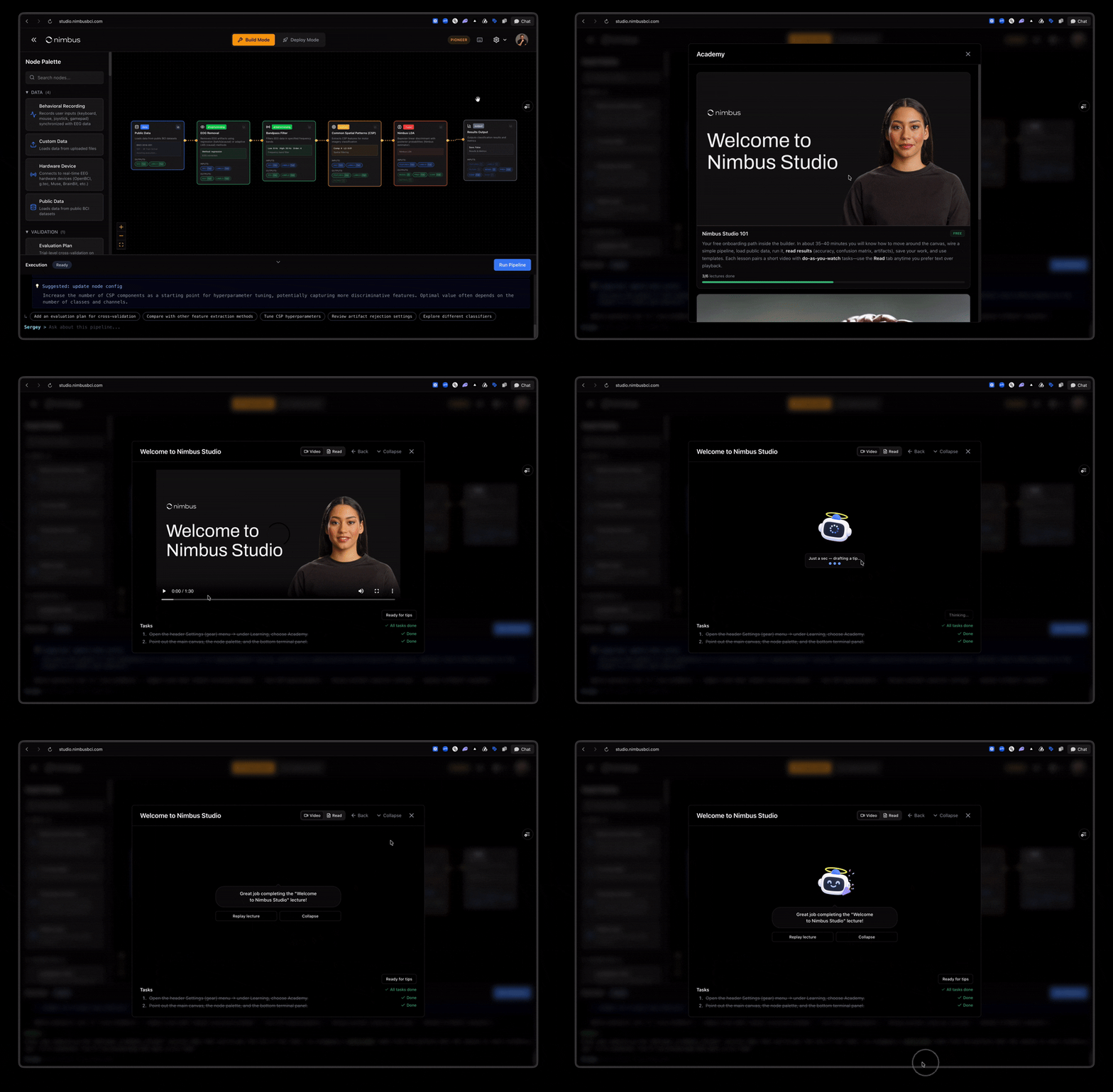
We just built Nimbus Academy to make learning inside Nimbus Studio feel like a single, guided flow—not “the video ends and you’re on your own.”
Starting now, when you finish a lesson, you’ll see a clearer handoff into what to do next:
- An in-app guide appears right where you were watching
- You can jump straight into asking questions about what you just learned
- A built-in 🤖 AI assistant helps you along the way – so you can learn, build, and sanity-check tasks and pipelines as you go
2) New: Full scikit-learn model support (as a new node)
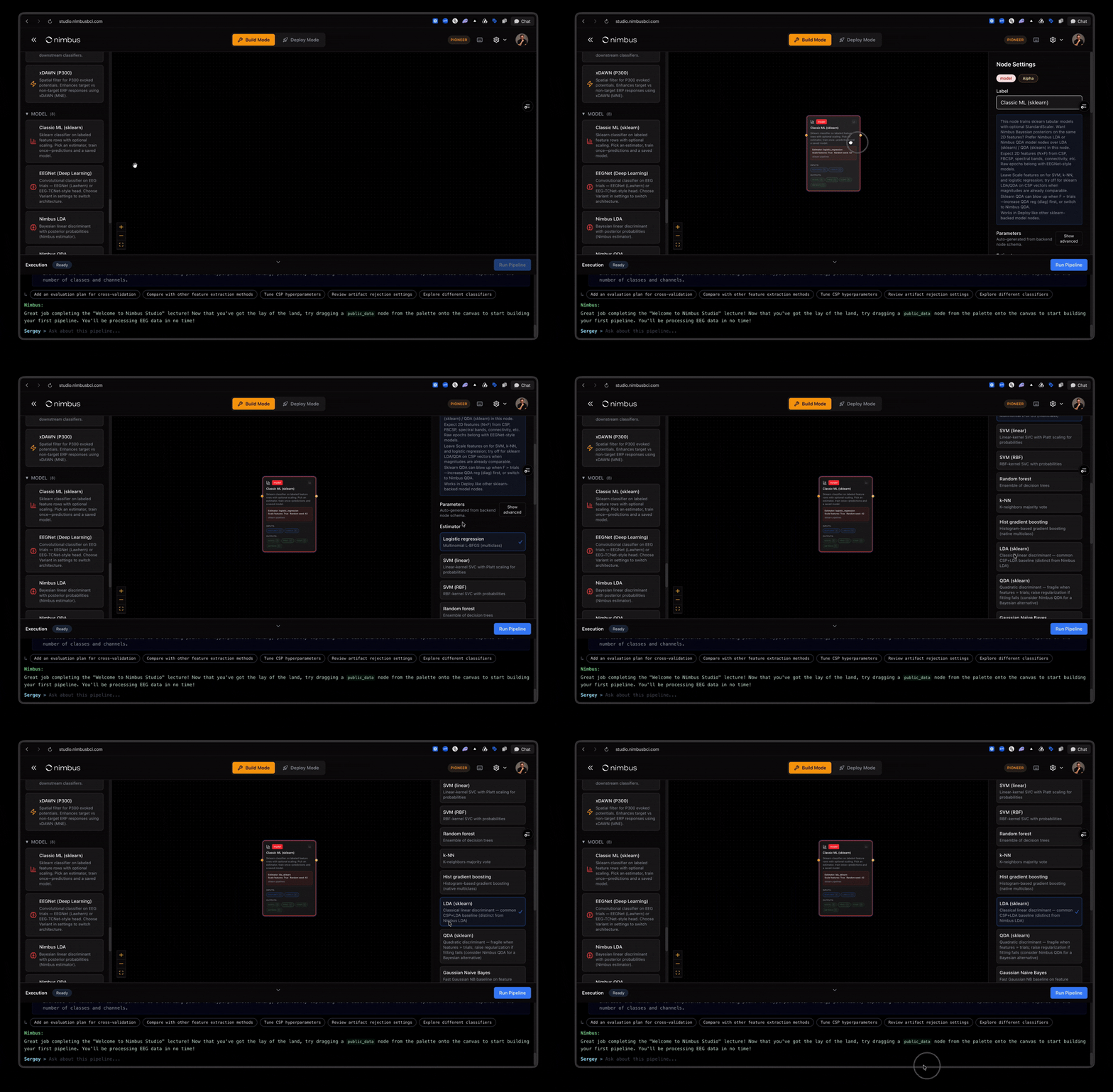
You can now bring any scikit-learn model into Nimbus Studio as a first-class node—so you can keep your existing sklearn workflows and run them end-to-end inside your pipeline.
This new node makes it easy to:
- plug trained models directly into a graph (no rewrites or brittle wrappers)
- run inference as part of the same session as your other nodes
- keep preprocessing + model steps together, so what you ship matches what you trained
If you already have models living in sklearn, this is the fastest way to productionize them in Studio.
3) Better data views when you want to understand what happened
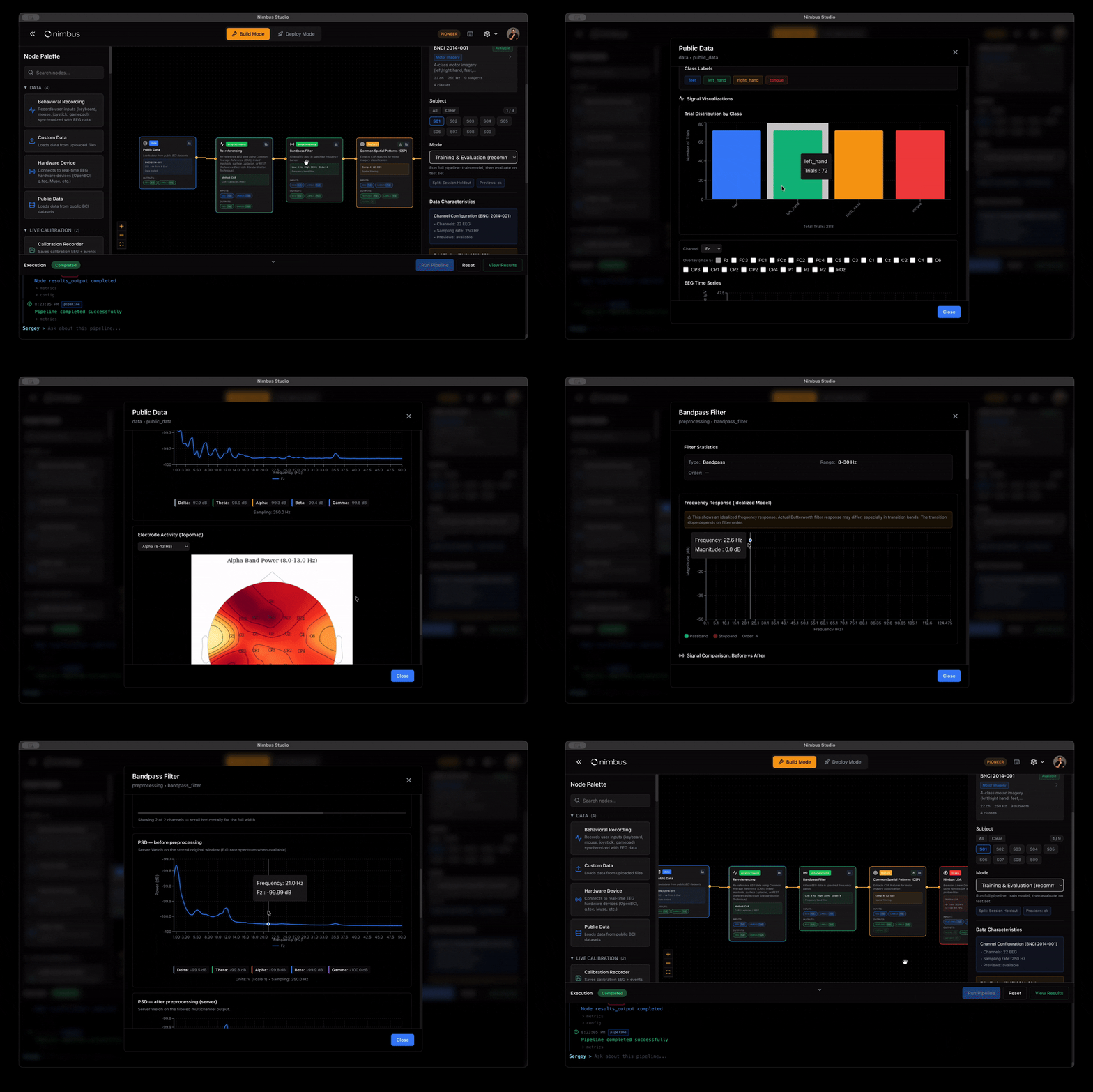
When you open a node’s data, the goal is clarity—so you can compare, interpret, and troubleshoot without guessing.
Updates include:
- clearer side-by-side views for “before vs after” changes
- longer previews that stay readable instead of squeezing everything into tiny thumbnails
- clearer explanations when data is excluded—so you know what changed and why
Plus: smoother importing for your own data
We also made it easier to find recording/file details in Custom data, and improved CSV importing—especially for files coming from spreadsheets with quirky formatting.
If you’re teaching, experimenting, or building on top of Nimbus Studio, these updates are about staying oriented: while you learn, while you set up, and while you review what the signal is telling you.